
Views: 257 Author: Site Editor Publish Time: 2025-12-12 Origin: Site


Resetting your Ford key fob (including the popular BK2T/GK2T Ford Key Fob models) can often be a necessary step when you're experiencing issues with your vehicle's remote control system. Whether the fob has stopped working, or it’s become unresponsive, understanding how to reset and reprogram your key fob is essential. This guide will take you through the entire process, offering a detailed, easy-to-follow solution to reset and program your Ford key fob.
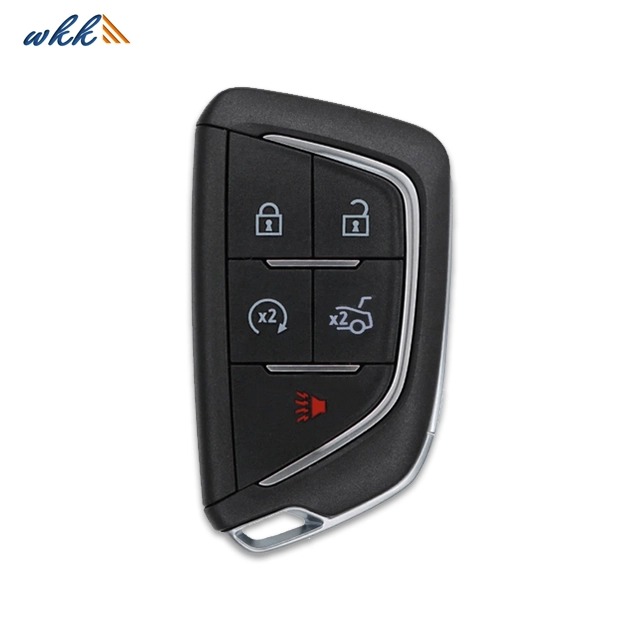
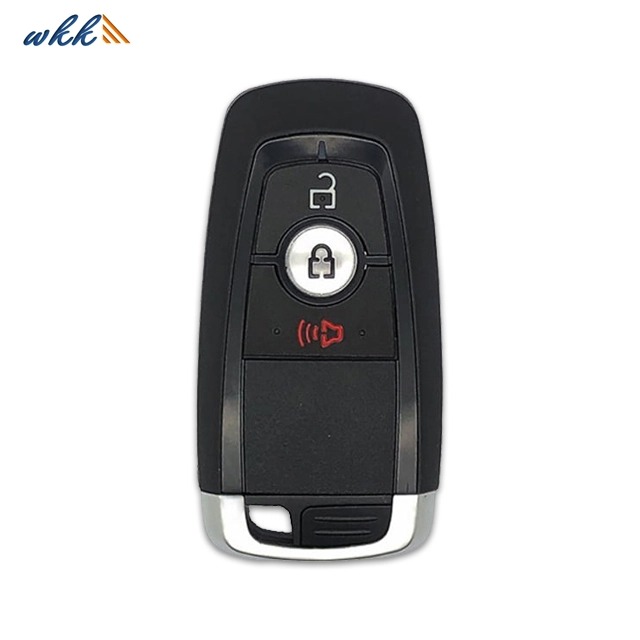
The BK2T/GK2T Ford Key Fob is a part of Ford’s keyless entry system, providing users with easy access to their vehicles, as well as additional functionalities like remote start and trunk release. These models are particularly common in vehicles like the Ford F-150, Ford Explorer, and various Ford sedans.
The key fob works by sending a signal to your car's receiver, allowing you to lock and unlock doors remotely, open the trunk, and even start the vehicle. If you experience issues such as the key fob not unlocking doors or not starting the vehicle, it's often a sign that the key fob needs to be reset.
In this section, we'll go over the most common models of Ford key fobs and how to identify yours:
| Model | Vehicle Compatibility | Features |
|---|---|---|
| BK2T | Ford F-150, Ford Mustang, Ford Escape | Remote keyless entry, remote start |
| GK2T | Ford Focus, Ford Explorer | Keyless entry, panic button, trunk release |
Several factors can cause your Ford key fob to malfunction, requiring a reset. Here are some of the most common reasons you might need to reset your BK2T/GK2T Ford Key Fob:
Battery Issues: Over time, the battery in your key fob can wear out, causing it to lose its signal or become unresponsive.
Accidental Deprogramming: Sometimes, the key fob may accidentally lose its connection to the vehicle, often after battery replacement or due to interference.
Signal Interference: Devices or objects emitting signals can sometimes interfere with the key fob's communication with the vehicle.
Malfunctioning Components: If the internal components of the key fob become damaged, the fob may stop working properly and require a reset.
By understanding these common causes, you can determine whether you need to reset the fob or replace it altogether.
Resetting your BK2T/GK2T Ford Key Fob can often be done through a simple series of steps. Here's how you can do it:
Turn the ignition to the "On" position without starting the car. This means the dashboard lights should be on, but the engine should be off.
Press the "Lock" button on the key fob and hold it for about 5-10 seconds. You should hear a chime from the vehicle indicating that the fob is being recognized.
Turn the ignition to the "Off" position and remove the key.
Test the key fob by pressing the "Lock" or "Unlock" button to check if the reset has worked.
If the reset doesn’t work, you may need to follow the next method that involves the vehicle itself.
For a more thorough reset, you can reset the BK2T/GK2T Ford Key Fob using the vehicle:
Enter the car with the key fob and close all doors.
Insert the key into the ignition and turn it to the "On" position.
Press the "Unlock" button on the key fob and hold it down.
While holding the "Unlock" button, turn the ignition to the "Off" position and then turn it back to "On" again.
Release the "Unlock" button. The car should chime or blink its lights to indicate a successful reset.
Test the key fob to confirm that it is working correctly.
If you’ve tried resetting your BK2T/GK2T Ford Key Fob and it’s still not working, there are a few things to check:
Battery Issues: Make sure the key fob’s battery is not dead. Replace it with a fresh battery and attempt the reset again.
Vehicle’s Key Fob System: Ensure that the vehicle itself is not experiencing issues with its receiver. If the reset doesn’t work, the issue may lie within the vehicle’s system.
Signal Interference: Check if there are any nearby devices or environmental factors that may be interfering with the signal from the key fob.
If none of these methods work, consider reaching out to a Ford dealership for a professional reset or a replacement key fob.
After resetting your BK2T/GK2T Ford Key Fob, you may need to reprogram it to work with your vehicle. Here’s how to do it:
Insert the key into the ignition and turn it to the "On" position.
Press and release the "Lock" button on the key fob.
Turn the ignition to "Off" and remove the key.
Test the key fob to ensure it works with the vehicle’s locking system.
Repeat this process for any additional fobs you want to program to your vehicle.
If your BK2T/GK2T Ford Key Fob is still not working after resetting and reprogramming, it might be time to replace it. Signs that your key fob may need replacing include:
The fob is physically damaged (buttons are broken or the case is cracked).
It fails to communicate with the vehicle after multiple reset attempts.
The battery drains very quickly, even after being replaced.
A Ford dealership can provide a new fob and program it to your vehicle, or you can purchase a replacement online.
Resetting your Ford key fob, including the BK2T/GK2T Ford Key Fob models, is a relatively simple process that can be done without the need for professional assistance. By following the steps outlined in this guide, you can troubleshoot issues with your key fob and get it working again, whether it involves a basic reset or reprogramming. Remember, if all else fails, it might be time to replace your key fob, and professional assistance is always available if needed.
Q1: How can I tell if the battery in my Ford key fob is dead?
A: If your key fob is unresponsive or only works intermittently, the battery may be dead. Check the battery by removing the back cover of the fob and replacing it with a new one.
Q2: Do I need to reset my Ford key fob every time I change the battery?
A: No, resetting your key fob is typically not required after changing the battery. However, if your fob is not responding after a battery change, a reset may be necessary.
Q3: Can I reset my Ford key fob without the vehicle?
A: Yes, some models of Ford key fobs can be reset without the vehicle using specific steps. Check your owner’s manual for detailed instructions on your model.
Q4: Why is my Ford key fob not working after I’ve reset it?
A: If the key fob is still not working after a reset, the problem may lie with the fob’s internal components or your vehicle’s key fob receiver. In such cases, professional help might be required.
Q5: Can I program a new Ford key fob myself?
A: Yes, most Ford key fobs can be programmed by following the specific steps outlined in your vehicle's owner's manual. If you're unsure, a Ford dealership can assist with programming.


 WhatsApp


