
Views: 0 Author: Site Editor Publish Time: 2025-10-25 Origin: Site


A Jeep key fob is one of the most essential components of your vehicle, providing convenient access, security, and functionality. From locking and unlocking doors remotely to activating remote start or panic alerts, the key fob ensures ease of use and peace of mind. Modern Jeep vehicles increasingly rely on these fobs to integrate security features such as encrypted communication, immobilizer activation, and proximity detection. This makes understanding and maintaining your key fob crucial for every Jeep owner.
However, over time, your key fob may malfunction or lose synchronization with the vehicle. Factors such as battery replacement, electrical interference, or software glitches in the vehicle’s computer system can cause the fob to stop responding or behave inconsistently. In such cases, a key fob reset is necessary to restore proper communication and functionality. Resetting a Jeep key fob can resolve issues such as unresponsive buttons, intermittent operation, or errors in the vehicle’s security system.
This comprehensive guide will cover everything you need to know about resetting a Jeep key fob, including types of fobs, signs that a reset is needed, tools and preparations, step-by-step reset instructions, troubleshooting, and maintenance tips. By the end, you will be able to reset your Jeep key fob safely and efficiently, ensuring optimal performance, long-term reliability, and convenience.
Before attempting a reset, it’s important to understand the types of Jeep key fobs and how they operate. Knowledge of these details ensures correct handling, prevents accidental damage, and helps users troubleshoot issues with confidence.
Jeep vehicles use several key fob types depending on the model, trim, and year:
Standard Key Fob
Provides basic functions such as lock, unlock, panic, and remote start.
Typically paired with a traditional mechanical key for ignition purposes.
Often used in older Jeep models where keyless entry systems are not fully integrated.
The buttons are mechanically simple but rely on precise electrical contact to function reliably.
Smart Key / Proximity Fob
Enables keyless entry and push-button start.
Uses proximity detection to unlock doors and start the engine automatically.
Includes advanced encryption technology to prevent unauthorized duplication or hacking.
Requires precise synchronization with the vehicle’s onboard computer for seamless operation.
Emergency Key
A mechanical backup key embedded within the fob.
Allows manual access to the vehicle if the electronic fob fails due to battery depletion or system malfunction.
Important to familiarize yourself with the emergency key’s location and operation.
A Jeep key fob communicates with the vehicle using encrypted radio frequency (RF) signals. When a button is pressed, the fob sends a coded signal that the vehicle’s computer interprets as a command. The onboard system then executes the requested action, such as locking or unlocking doors, enabling remote start, or triggering a panic alarm.
Modern fobs often use rolling codes or advanced cryptography to enhance security. Each time the fob is pressed, a unique code is transmitted to prevent interception or duplication by unauthorized devices. This high level of security, while essential, also means that any disruption—such as a low battery, signal interference, or internal fob malfunction—may require a reset to restore synchronization.
Resetting your key fob can address several issues:
Buttons that become unresponsive or behave inconsistently.
Vehicle system errors indicating a fob communication problem.
Loss of synchronization after battery replacement or extended inactivity.
Integrating a new fob into the vehicle’s security system.
Proper reset ensures the fob and vehicle operate in harmony, maintaining security, convenience, and overall functionality.
Identifying the need for a Jeep key fob reset early can prevent inconvenience, lockouts, and unnecessary trips to a dealership. Common indicators include:
Unresponsive Buttons – Certain or all buttons on the fob fail to function or require multiple presses to register.
Vehicle Does Not Recognize the Fob – The car may not respond to lock/unlock commands, or it may fail to allow remote start or entry.
Intermittent Operation – Buttons work inconsistently or require repeated presses.
Dashboard Warnings – Messages such as “Key Not Detected” or “Fob Battery Low” suggest synchronization or internal fob issues.
Other subtle signs may include delayed locking/unlocking, partial function of buttons, or inconsistent operation when using proximity sensors. Detecting these symptoms early allows timely reset and avoids potential lockouts or inconvenience during critical moments.
Proper preparation is essential before attempting a Jeep key fob reset. Having the correct tools and a controlled workspace reduces the risk of errors and ensures safe, effective reset.
Tool / Item | Purpose / Details |
Fully charged key fob battery | Ensures proper communication during reset; low batteries can cause failed programming attempts. |
Vehicle owner’s manual | Provides model-specific reset instructions and precautions. |
Ignition key (if applicable) | Required for certain models that use ignition sequences for reset. |
OBD2 programmer (optional) | Needed for advanced or newer models requiring dealer-level access. |
Clean working surface | Prevents damage or loss of small fob components during handling. |
Preparation Tips:
Verify that the battery is fresh and correctly seated in the fob.
Close all vehicle doors to minimize interference during the reset process.
If programming multiple fobs, have them all present to avoid having to repeat the reset process.
Ensure that all electronics in the vehicle are off to reduce potential interference.
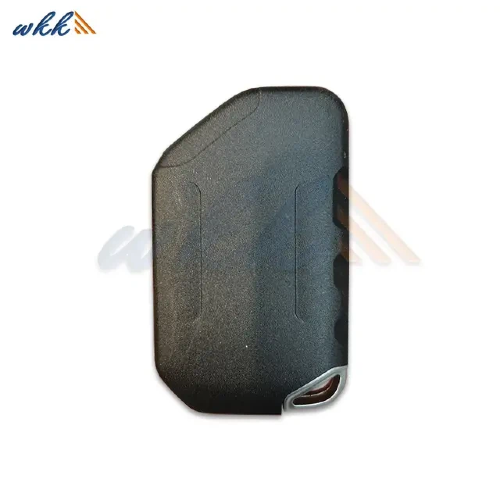
Resetting a Jeep key fob can vary depending on model and year. The following methods cover most scenarios while emphasizing safety and accuracy.
Many Jeep models allow fob reset using ignition and button sequences. The process is generally straightforward but requires careful attention to timing.
Enter Reset Mode
Sit in the vehicle and close all doors to prevent interruptions.
Insert the ignition key and turn it to the “On” position without starting the engine.
Cycle the ignition between “Off” and “On” several times according to the owner’s manual sequence.
Reset the Fob
Press and hold the lock and unlock buttons on the fob simultaneously for several seconds.
Release the buttons and observe vehicle signals, such as horn chirps or lock flashes, which indicate successful reset.
Test All Functions
Test lock/unlock, remote start, and panic functions to confirm synchronization.
Repeat the process for additional fobs if needed.
Additional Tips:
Perform the reset in a quiet environment to ensure you can hear horn chirps and see lock flashes.
If the reset fails, double-check battery power and button functionality before attempting again.
For newer Jeep models or vehicles with advanced security systems, an OBD2 programmer or dealer tools may be required.
Connect the Programmer
Locate the OBD2 port under the dashboard.
Plug in the programmer and turn the ignition on.
Follow On-Screen Prompts
Select “Key Fob Reset” or “Programming” mode.
Follow instructions to register each key fob with the vehicle’s security system.
Verify Functionality
Test lock/unlock, remote start, panic button, and proximity detection for smart key fobs.
Ensure all fobs are fully synchronized with the vehicle’s system.
Additional Tips:
Make sure the vehicle battery is sufficiently charged before using OBD2 programming.
Disconnect any unnecessary devices from the vehicle’s electronics to prevent interference.
Even when following instructions carefully, some problems may occur during a Jeep key fob reset. Understanding potential issues can save time and prevent frustration.
Issue | Possible Cause | Solution / Guidance |
Fob not entering reset mode | Incorrect ignition sequence or fob type | Recheck owner’s manual and ensure correct sequence |
Buttons remain unresponsive | Weak battery or poor internal contact | Replace battery and retry reset |
Vehicle does not recognize fob | Security system requires advanced programming | Use OBD2 programmer or visit a certified Jeep dealer |
Remote start fails | Incompatible fob or programming error | Verify fob model compatibility and repeat reset |
Preventive measures include checking the fob battery, handling the fob carefully, and ensuring all fobs are present during the reset process. Consistent maintenance can reduce the need for frequent resets.
Proper maintenance ensures long-term performance and prevents repeated resets:
Replace batteries before they are fully drained. A weak battery may prevent the fob from communicating with the vehicle or completing a reset successfully.
Protect fobs from water, excessive heat, strong magnetic fields, and impact. Such exposure can damage internal electronics and reduce fob reliability.
Always maintain at least one backup fob properly programmed. This prevents lockouts and ensures access if a primary fob fails.
Periodically wipe battery contacts and button surfaces with a dry cloth. Clean contacts ensure stable electrical connections, which are essential for reliable operation.
Observe how quickly buttons respond, whether remote start activates consistently, and if the vehicle recognizes the fob reliably. Early detection of problems allows proactive maintenance before more serious issues arise.
While many Jeep key fobs can be reset by the owner, certain situations require professional assistance:
Persistent reset failure despite following all steps.
Newer vehicles requiring dealer-specific security resets.
Fobs exhibiting hardware or internal circuit malfunctions.
Certified Jeep dealers or experienced automotive locksmiths can provide specialized tools and knowledge, ensuring the key fob functions properly without risk of damage. Professional help also guarantees security compliance, particularly for models with advanced encryption systems.
Resetting your Jeep key fob is essential for vehicle security, convenience, and optimal functionality. By understanding fob types, recognizing when a reset is needed, gathering proper tools, and following step-by-step instructions, you can restore full operation safely and efficiently.
Regular maintenance, careful handling, and keeping backup fobs programmed prevent unexpected malfunctions and prolong the lifespan of your key fobs. For those seeking reliable replacement key fobs, batteries, or professional guidance on resets and maintenance, WEKI International Trade Co., Ltd. offers high-quality products and expert support. Their team can provide advice on compatible fobs, proper reset procedures, and maintenance tips, ensuring that your Jeep key fobs operate flawlessly and securely. Contacting WEKI International Trade Co., Ltd. guarantees access to professional assistance and reliable products, helping maintain the convenience, safety, and longevity of your Jeep key fobs.


 WhatsApp


