
Views: 0 Author: Site Editor Publish Time: 2026-02-23 Origin: Site


There’s nothing more inconvenient than stepping into your car, pressing the key fob, and realizing that the battery is dead. It’s a frustrating moment, but it doesn’t have to be the end of the world. You might be surprised to know that replacing your car key battery is easier than you think—and in most cases, you can do it yourself without the need for a professional. As a trusted partner to car owners and service providers, we’ve seen the growing demand for DIY solutions, and we’re excited to help you with this simple yet essential car maintenance task.
In this article, we’ll walk you through the process of replacing your car key battery, discuss when you might need to replace the fob entirely, and provide some helpful tips and recommendations for buying the right replacement battery. If you’ve never done it before, don’t worry—we’ll guide you step by step. By the end, you’ll have the confidence to replace your car key battery yourself, saving both time and money.
Before diving into the process, let’s briefly explore why it’s important to replace your car key battery in a timely manner. Here are the key reasons:
Avoid Inconvenience: A dead battery can lock you out of your vehicle or make it difficult to start the engine.
Prolong the Life of Your Key Fob: Regular maintenance, such as replacing the battery, can extend the overall life of your key fob.
Cost Savings: Replacing the battery yourself is far cheaper than paying a locksmith or dealership for the service.
DIY Satisfaction: Knowing how to do this simple repair yourself can give you confidence in handling other minor car maintenance tasks.
Now that we’ve covered why you should replace your car key battery, let’s get into how you can easily do it yourself.
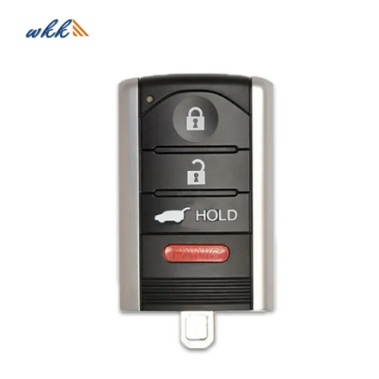
Replacing your car key battery is a straightforward process, but you’ll need a few basic tools. Most modern car key fobs use small batteries that are easy to replace yourself, saving you the trouble of visiting a dealership or locksmith. If you follow the right steps, it can be done in under 15 minutes! Let's break it down into manageable steps:
The first step in the process is purchasing the correct replacement battery for your car key fob. Most key fobs use CR2032 or CR2025 batteries, but it’s essential to check the specific model required for your vehicle’s key fob. The model number is often printed on the old battery or can be found in your car’s owner manual.
Tip: When buying the battery, check the expiration date. Fresh batteries will perform better and last longer.
To access the battery, you need to open the key fob. Most key fobs are designed with a small slot or seam where you can separate the two halves. Follow these steps:
Locate the seam: Find the line or gap where the two halves of the fob meet.
Use a flat tool: Use a flathead screwdriver or a coin to gently pry open the key fob. Be careful not to damage the plastic.
Separate the halves: Once you’ve pried open the fob, separate the two halves, revealing the internal components, including the battery.
Tip: If your key fob has screws, use a small screwdriver to remove them before attempting to open the fob.
After opening the key fob, you should see the battery clearly. Here’s how to remove it:
Take note of the orientation: Pay attention to how the battery is positioned (which side is facing up). This will help you install the new battery in the correct direction.
Remove the battery: Gently lift the old battery from its compartment. If it’s stuck, you can use the flathead screwdriver to carefully pry it out.
Now that the old battery is out, it’s time to insert the new one:
Place the new battery: Insert the new battery into the compartment, making sure it is aligned with the correct orientation (positive side up, or whatever your key fob requires).
Press it in: Ensure the battery is seated securely in the compartment.
Once the new battery is in place, it’s time to put the fob back together:
Align the halves: Carefully align the two halves of the fob and press them back together.
Snap them shut: If there were screws, replace them and tighten them securely.
Test the fob: Press the buttons to make sure the key fob is working properly. If the battery is installed correctly, the fob should work as it did before.
In some cases, replacing the battery might not be enough to fix your key fob. Here are a few signs that you might need to replace the entire fob:
If the fob is cracked, broken, or showing visible signs of wear, replacing the battery may not fix the issue. Physical damage can affect the internal components, such as the circuit board or buttons, which would require a replacement fob.
If you’ve replaced the battery but the fob still doesn’t work, there may be an issue with the internal circuit or other components. In this case, it’s best to contact a professional to have the fob inspected or replaced.
If you’ve replaced the battery several times but the fob still doesn’t work, it might be time to get a new fob. Replacing the battery is usually the solution for a non-working fob, but if this doesn’t work, the internal components may be the issue.
If you’ve replaced the battery and your key fob is still malfunctioning, here are a few common issues and how to troubleshoot them:
Solution: Check the battery orientation and make sure it’s seated correctly. Sometimes, a misaligned battery can cause the fob to work only occasionally. Also, check for corrosion or dirt inside the key fob.
Solution: Ensure that the fob is correctly assembled, and there are no loose parts inside the case. If the buttons are physically damaged, you may need a replacement key fob.
Solution: It might be time to replace the key fob entirely if the issue is not related to the battery. You can contact a locksmith or the car manufacturer for a replacement key fob.
| Problem | Solution |
|---|---|
| The key fob works intermittently | Check the battery orientation and ensure it’s seated properly. Look for corrosion or dirt inside the key fob. |
| The buttons are not responding | Verify the fob is correctly assembled with no loose parts. If buttons are damaged, consider getting a replacement key fob. |
| The key fob still doesn’t work after replacing the battery | If the battery is replaced and the fob still doesn’t work, it may be time to replace the key fob entirely. Contact a locksmith or the car manufacturer for a replacement. |
While most people can replace their car key battery themselves, there are some situations where it’s better to seek professional help:
If you’ve tried replacing the battery and the fob still doesn’t work
If your key fob has advanced features like remote start, which may require reprogramming after battery replacement
If you’re unsure about the type of battery your car key uses
In these cases, it’s a good idea to consult a professional locksmith or visit your dealership.
Replacing the battery in your car key fob is a simple DIY task that can save you both time and money. By following the step-by-step guide, you can easily restore your key fob’s functionality and get back on the road without waiting for a professional. However, if you’re ever in doubt about the process or need high-quality replacement batteries, we recommend checking out products from reliable suppliers. At WEKI International Trade Co., Ltd., we offer high-quality car key batteries and key fob replacement options that are designed to meet your needs. Our team is always ready to assist with any questions or recommendations to ensure your key fob stays working for years to come.
Check the old battery for its model number (usually something like CR2032). If it’s not visible, refer to your car’s owner manual for the correct type.
To extend the battery’s life, avoid pressing the fob buttons unnecessarily, and keep the fob away from moisture or extreme heat.
Yes, it’s completely safe to replace the battery yourself as long as you follow the correct procedure and handle the fob carefully.
If the fob is physically damaged, you may need to replace the entire unit. Contact your dealership or a professional locksmith for a replacement.
 WhatsApp


