
Views: 0 Author: Site Editor Publish Time: 2026-02-26 Origin: Site


Your car key is more than just a device to unlock and start your vehicle. Modern car keys, especially remote key fobs, incorporate advanced technology to ensure your car’s security. As part of these systems, your key relies on a small battery to transmit signals to the car, allowing you to unlock doors, open the trunk, and, most importantly, start the engine without needing a traditional key.
However, like all batteries, the one in your car key will eventually lose its charge. When this happens, it can leave you stuck outside your car or unable to start the engine. But how do you know when your car key battery is dead, and what should you do about it? In this article, we’ll explain the signs of a dead car key battery, offer tips on troubleshooting, and give you a simple guide to replacing the battery yourself—without the need for professional help.
At WEKI International Trade Co., Ltd., we specialize in high-quality replacement car key batteries. We understand how crucial it is to keep your key fob functioning properly, so we’ve created this guide to help you identify and solve any battery-related issues quickly and easily.
A car key battery doesn’t die suddenly—typically, it will show gradual signs of failure before it completely stops working. If you’re noticing any of the following, your key fob battery might be nearing the end of its life:
When you press the button on your car key fob, the car should respond almost immediately. If you notice that it’s taking longer than usual for your car to react, or if the signal seems weak, this is often the first sign that the battery is running low. You may also find that you need to press the buttons harder or from closer distances to get a response.
Sometimes, your car key fob will work fine one moment, and then fail to unlock or lock the doors the next. This kind of intermittent behavior is a common indication of a dying battery. You may find that it works sporadically, but not consistently.
The most obvious sign that your car key battery is dead is when the fob completely stops working. If pressing the buttons doesn’t result in any action, the battery is most likely completely dead. Before assuming the battery is gone, though, check the car’s manual for any troubleshooting tips or solutions to ensure the fob isn’t malfunctioning for another reason.
In some cases, when your car key battery is getting low, you may notice a warning light on the dashboard or a message on your vehicle’s display screen. This is more common in newer cars, which are equipped to detect weak signals coming from the key fob.
If the buttons on your car key fob feel “mushy” or unresponsive, or if you have to press them multiple times to get a response, the battery is likely on its way out. If the buttons feel normal but there’s no response at all, the battery is almost certainly dead.
Signs of a Dying Car Key Battery | Description |
Weak or Delayed Signal Response | The car takes longer to respond or the signal seems weak, requiring closer proximity or harder presses. |
Intermittent Locking/Unlocking | The key fob works sporadically—sometimes it locks or unlocks the doors, other times it doesn’t. |
Key Fob Not Working at All | Pressing the buttons results in no action, indicating the battery is most likely dead. |
Warning Lights on Dashboard | Some cars show a warning light or message on the display screen indicating a weak key fob signal. |
Key Fob Buttons Not Responding | The buttons feel "mushy" or need to be pressed multiple times to get a response. |
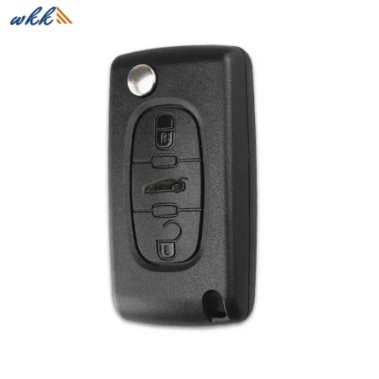
If you’re unsure whether the problem is the key fob battery or something else, here’s a simple troubleshooting process you can follow:
If you have a spare key fob, use it to check if the problem lies with the battery or if there’s something wrong with the car’s receiver. If the spare key works fine, it confirms that your main fob’s battery is dead. If neither key works, it’s possible there’s a more serious issue with your car’s electrical system. A spare key fob helps rule out the possibility of an issue with the car’s receiver or other electrical components, allowing you to focus on the key fob itself.
Sometimes, the issue isn’t with the key fob itself but with interference from other electronic devices. Other wireless signals, such as nearby cell phones, electronic equipment, or even strong Wi-Fi signals, can interfere with the signal from your car key fob. Try moving to a different location, away from these signals, to see if the key starts working again. If you’re in a highly crowded or technology-heavy area, interference could be the cause of the malfunction, and relocating may solve the problem temporarily.
Check the key fob for any visible signs of damage. If the fob is cracked, wet, or showing signs of wear, the issue may not be the battery. In such cases, a professional may be required to assess the condition of the key fob. A cracked or water-damaged fob could be causing a disruption in the electrical connection or the internal components. If the fob looks fine and there are no signs of physical damage, the battery is likely the culprit.
Many newer vehicles come with specific instructions for resetting the key fob if it stops working. These instructions may include pairing the fob with the car again, checking the car’s electrical system, or other solutions that go beyond just replacing the battery. Always refer to the owner’s manual for specific guidance tailored to your car's make and model. Some manufacturers offer troubleshooting tips or reset procedures that can fix problems without requiring a new battery.
If you’ve ruled out all other possible issues and determined the problem lies with the battery, it’s time to replace it. In most cases, replacing the battery in a key fob is a quick and easy process. You can usually open the key fob casing with a small flathead screwdriver, remove the old battery, and replace it with a new one of the same type (typically CR2032 or similar). Make sure to follow the manufacturer’s instructions for the correct battery type and orientation.
Replacing the battery in your car key fob is often easier than you might think, and it’s something you can do yourself in just a few simple steps. Here’s how to do it:
First, check your car key fob to determine the type of battery it uses. Many car keys use standard button batteries such as CR2032, CR2025, or CR1632. You can typically find this information in your car’s manual, or you can search for your key fob’s battery type online.
To replace the battery, you’ll need to open the key fob. Most key fobs have a small notch or groove around the edges. Use a small flat-head screwdriver to gently pry apart the two halves of the fob. Be careful not to damage the casing or the internal components.
Once the fob is open, you should see the battery. Use your fingers or a non-metallic tool to remove the old battery. Make sure to note how the battery is oriented, as the new battery will need to be placed in the same direction.
Insert the new battery into the slot, ensuring it is positioned exactly the same way as the old battery. Press the battery gently into place.
Once the new battery is in place, carefully snap the two halves of the key fob back together. Make sure they fit securely, and ensure that the buttons work correctly before using the key fob again.
A dead car key battery can be a major inconvenience, but recognizing the early signs of battery failure can help you avoid being caught off guard. By paying attention to weak signal responses, intermittent functionality, or unresponsiveness, you can address the issue before your fob completely stops working. Regular maintenance, such as replacing the battery every few years and following simple troubleshooting steps, will ensure your key fob continues to perform reliably.
At WEKI International Trade Co., Ltd., we understand how essential a properly functioning key fob is for your vehicle's security and convenience. That’s why we provide high-quality, OEM-compatible replacement batteries that will keep your key fob operating smoothly for longer. Whether you need a quick battery replacement or have questions about the process, we’re here to help.
If you’re ready to replace your car key fob battery or need guidance on choosing the right replacement, don’t hesitate to reach out to us. We’re committed to helping you keep your car key fob working like new, ensuring you never get locked out again.
Signs of a dead car key battery include weak or delayed signal responses, intermittent locking/unlocking, and the key fob not working at all. If none of the buttons respond, the battery is most likely dead.
Yes, replacing the battery in your car key fob is usually straightforward. You’ll need to open the key fob, remove the old battery, insert a new one, and then reassemble the fob. Make sure to use the correct battery type for your model.
Car key batteries typically last around 1–3 years, depending on usage. Frequent use of the remote or the fob’s exposure to extreme conditions may shorten its lifespan.
Most car key fobs use button batteries like CR2032, CR2025, or CR1632. Check your car’s manual or look inside the key fob to identify the correct size.
 WhatsApp


